
Screenshots


About X-/APK/S Extractor & Installer
APK Extractor:
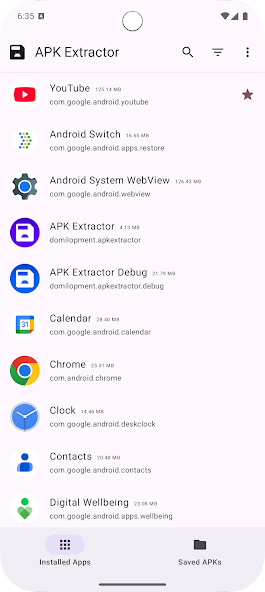
A Simple and Modern APK Extractor App
The APK Extractor enables you to Backup and Restore your installed App.
This means to save the install file from the Version on your device to your System and restore it afterwards or Mange them.
Provided functions are:
Fast and easy to use. (hopefully)
Extracts all application, including system applications.
filter apps by user apps, system apps and updated system apps
This means filter the set of installed App with parameters, User Apps (Installed by you), Updated System Apps (Apps, like for example Chrome, that are pre-installed and receive updates from Play Store), or System Apps (every other App on your device, that does not fall under the first two conditions)
no ROOT access required
Search applications by app name, package, install- or update time
Sort your Apps to faster find what you are searching for
Choose Default Apk's save place
Choose the folder on your System all Apps should be saved to
Share Apk's with other services
Share Installed or Saved APKs, to Save backups in a Cloud service or to restore them on other devices
small size apk
Include information of package, version-code etc. in Apk name
Include various Information in the name of Saved APKs to faster find the right backup
Extract multiple apk in single click
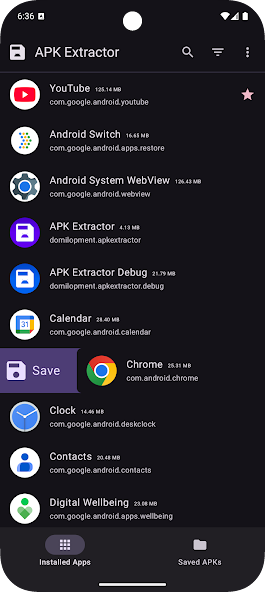
Select multiple Apps with long press the App list items to create backups for all of them at once
Backup Installed apps as Single APK or APK-Bundle
Change in Settings if you don't only want to backup base.apk but base.apk + split apks as Bundle file. And decide if the Bundle should have a file suffix of '.apks' or '.xapk' (Only to install an App backup from base.apk file may lead to a crash on launch caused by missing ressources contained in split apks)
Follows System Night Mode (can be activated manually in App)
Choose App theme, Light, Dark or follow System, also supports Material You coloring
Auto Backup APKs on App updates
Make the App watch for App Updates to Automatic create a backup of the new Version
Manage your Backups
View All your backups inside the App, view detailed information about them, like version name/number, creation date, apk size. Select and Share, Delete or Install them (restore backups directly from inside the app).
Install XAPK files from file explorer
Show an installation Dialog if you click on an xapk file in your file explorer to install it (May depend on file explorer).
View the Code on Github: https://github.com/Domilopment/APKExtractor
Programmed with Love^^ ❤
Information
View on Google PlayFrequently Asked Questions
Is X-/APK/S Extractor & Installer free to download?
X-/APK/S Extractor & Installer is free to download from Google Play Store.
Is X-/APK/S Extractor & Installer safe to download?
Yes, we provide direct download links from the official Google Play Store, ensuring a safe and verified download.
Compare X-/APK/S Extractor & Installer
Similar Apps
See All


