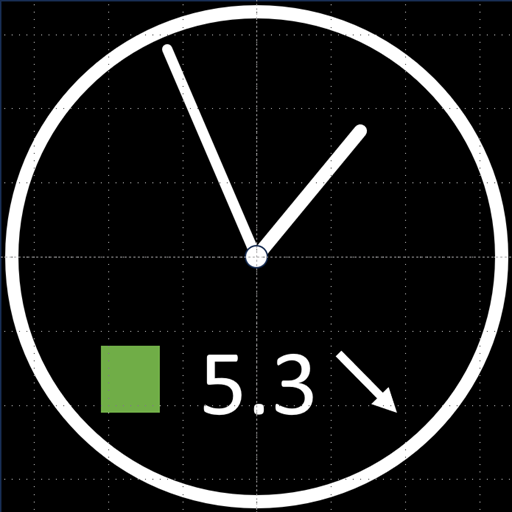
Screenshots


About WatchGlucose
Keep your glucose levels in sight — right on your wrist! 🩸⌚
Monitoring your blood sugar shouldn't mean constantly pulling out your phone. With WatchGlucose, you can see your real-time levels and trends directly on your Wear OS watch (including Samsung Galaxy Watch, Google Pixel Watch, and more).
Why use WatchGlucose? • Glanceable Data: Use our complication providers to show your current glucose, trend arrows, and warning levels on your favorite watch face. • Custom Watch Faces: Choose between our dedicated Analog or Digital watch faces (available on Google Play) with customizable background and text colors. • 12-Hour History: Simply swipe left to view a dedicated Tile showing your glucose history over the last 12 hours. • Full Compatibility: Seamlessly supports data from FreeStyle Libre 2 and Libre 3 sensors.
Quick Setup Guide:
Install WatchGlucose on both your watch and your phone.
Open the app on your watch first.
Open the app on your phone and follow the on-screen instructions to sync.
Important Technical Details: The watch app fetches glucose readings from a server over the internet (it does not connect directly to the sensor).
Medical Disclaimer: WatchGlucose is for informational purposes only. This app should NOT be used for treatment decisions, medical diagnosis, or insulin dosing decisions. Always consult with a medical professional.
Information
View on Google PlayFrequently Asked Questions
Is WatchGlucose free to download?
WatchGlucose is free to download from Google Play Store.
Is WatchGlucose safe to download?
Yes, we provide direct download links from the official Google Play Store, ensuring a safe and verified download.
Compare WatchGlucose
Similar Apps
See All


