Screenshots


About Voice Recorder
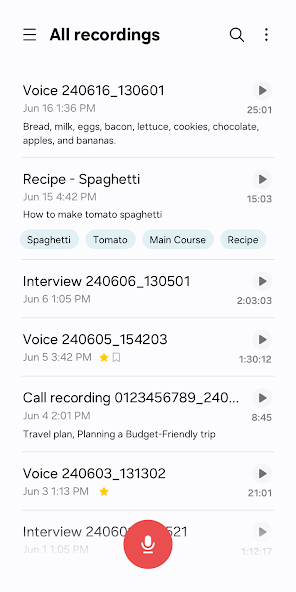
Record high-quality sound in a variety of situations quickly and easily with the Voice Recordings app. You can also efficiently manage and edit the recorded files, edit transcribed text from the audio, or share the files with various apps.
- Record easily anytime, anywhere
Start recording quickly and easily from anywhere, including from your Galaxy smartphone, tablet, or watch.
Record through the built-in microphone, a Bluetooth headset, or a compatible external microphone.
- Record in various recording modes
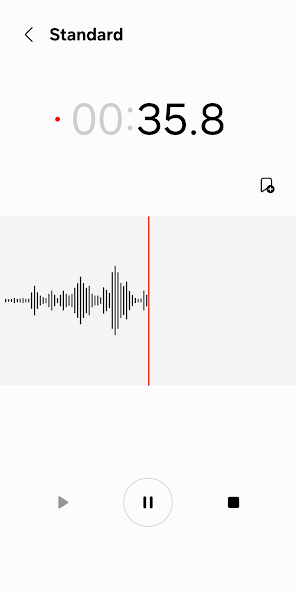
[General] It allows you to record easily. It shows the waveform of the audio.
[Interview] Record yourself and another person’s voice using the microphones on the top and bottom of your phone. It shows the waveform for each voice, which you can play back separately.
- Bookmark important moments
You can add bookmarks to easily find important content.
You can also collect only the snippets you bookmarked or play them right away.
- Block calls while recording
When you get a call while you’re recording, you can continue recording without answering.
- Share only the data you need
Share your recorded audio or transcribed text by selecting only the data you want to share.
※ Supported features may vary depending on the device.
To use this app, the following permissions are required. You can use the basic features of the app without giving the optional permissions.
Required permissions
- Microphone: To record voices and other sounds
- Music and audio: To save the recorded files
Optional permissions
- Nearby devices: To check Bluetooth headset information to allow the Bluetooth microphone recording feature
- Notifications: To notify the user when recording or playing
- Contacts: To block calls while recording
- Call log: To import call recording files
Information
View on Google PlayFrequently Asked Questions
Is Voice Recorder free to download?
Voice Recorder is free to download from Google Play Store.
Is Voice Recorder safe to download?
Yes, we provide direct download links from the official Google Play Store, ensuring a safe and verified download.
Compare Voice Recorder
Similar Apps
See All