Screenshots


About Device Care
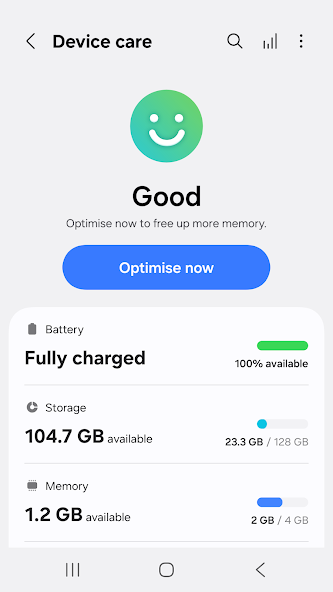
For a more pleasant experience while using your Galaxy smartphone, try the "Device Care" app by Samsung Electronics. With the "Device Care" app, anyone can easily keep their smartphone in good condition. The intuitive screen layout and interactions help the user check the condition of their device at a single glance and maintain their smartphone easily without expert knowledge, as it enables them to take prompt actions if problems, such as malware (viruses, spyware), arise.
Some Galaxy devices may not support some of the features outlined below.
App updates via the Google Play store are only available on some devices.
[Main features]
- Reports the current condition of a customer's smartphone on a 100-point scale;
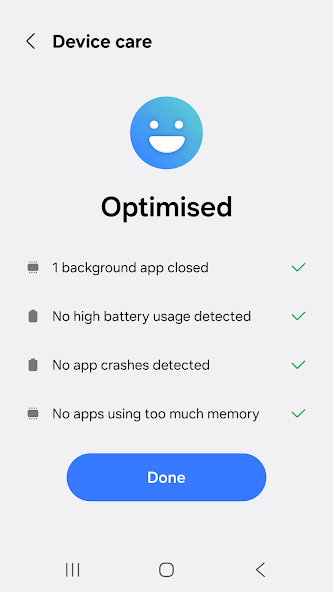
- Optimizes a smartphone in one simple click;
- Analyzes battery usage on a per-app basis and saves battery power by checking unused apps via App power monitor;
- Identifies battery-draining apps;
- Provides Power saving mode and Maximum power saving mode to ensure that the user can enjoy their smartphone for an extended period of time;
- Manages and frees up Memory efficiently;
- Detects malware (viruses, spyware) and provides real-time protection for smartphones;
- Offers two widget types for customer convenience.
This app requires the following permissions:
You can still use the app's basic functions without allowing the optional permissions.
[Required permissions]
- Notifications: Used to notify you about updates and events
Information
View on Google PlayFrequently Asked Questions
Is Device Care free to download?
Device Care is free to download from Google Play Store.
Is Device Care safe to download?
Yes, we provide direct download links from the official Google Play Store, ensuring a safe and verified download.
Compare Device Care
Similar Apps
See All